
Brutor AI User Portal
Your AI Workspace. Connected to Your Data. Governed by Design.
The Brutor AI User Portal gives employees everything they need to make the most of AI — a full chat interface which gets to know them, allows them to query enterprise systems, use AI models they prefer, run agent skills and more.
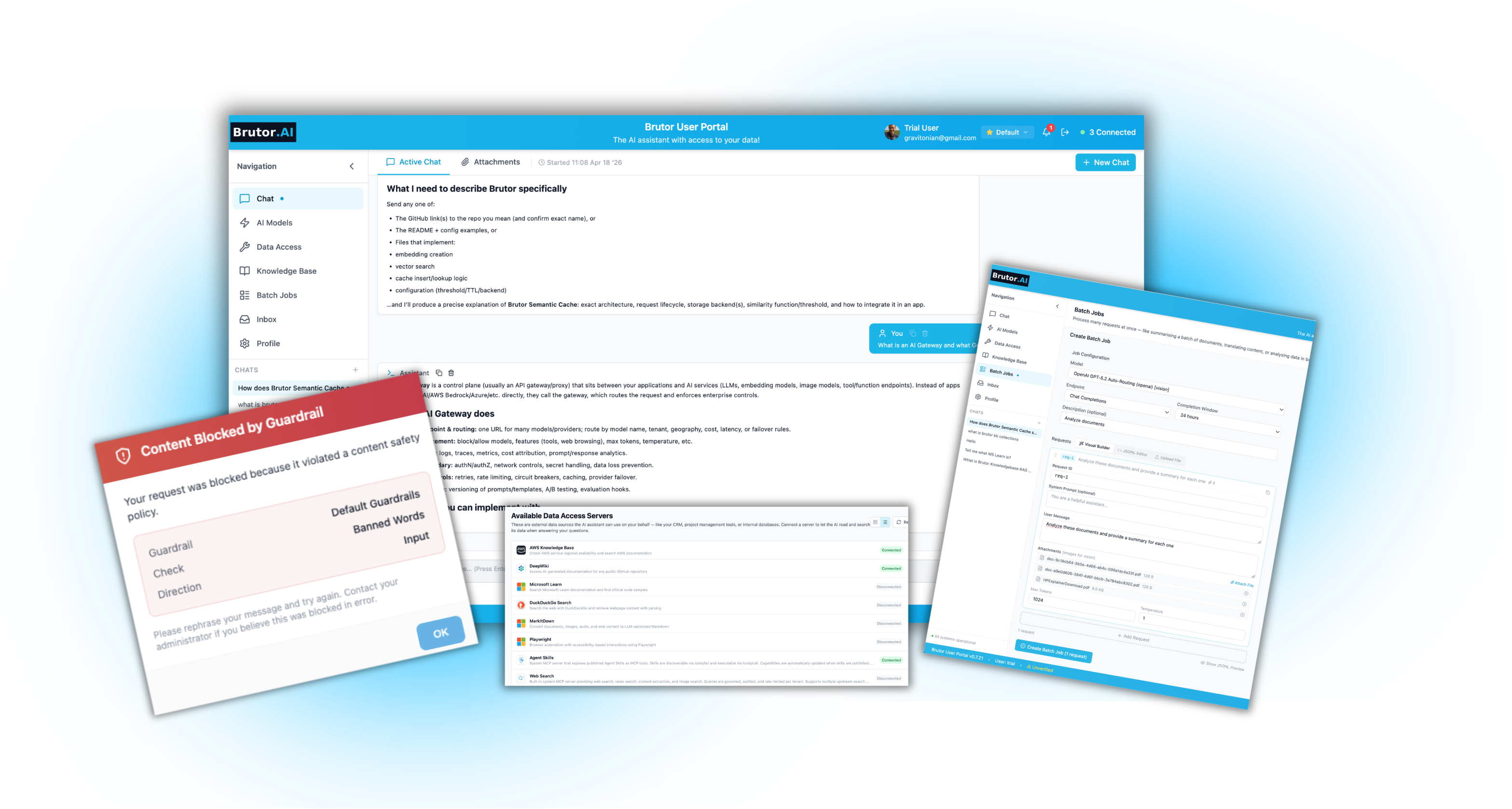
The Portal is part of the Brutor AI Platform.
IT can customize the workspace for teams and keeps control — every prompt, retrieval, and tool call routes through the Brutor Gateway, staying visible, controlled, and attributed.


Users get a customized workspace, not a chatbot with restrictions.
They log in with company credentials and start working. Models, tools, knowledge bases, and skills are already wired up by IT — no API keys, no setup, no friction. Serious capabilities from the first session.
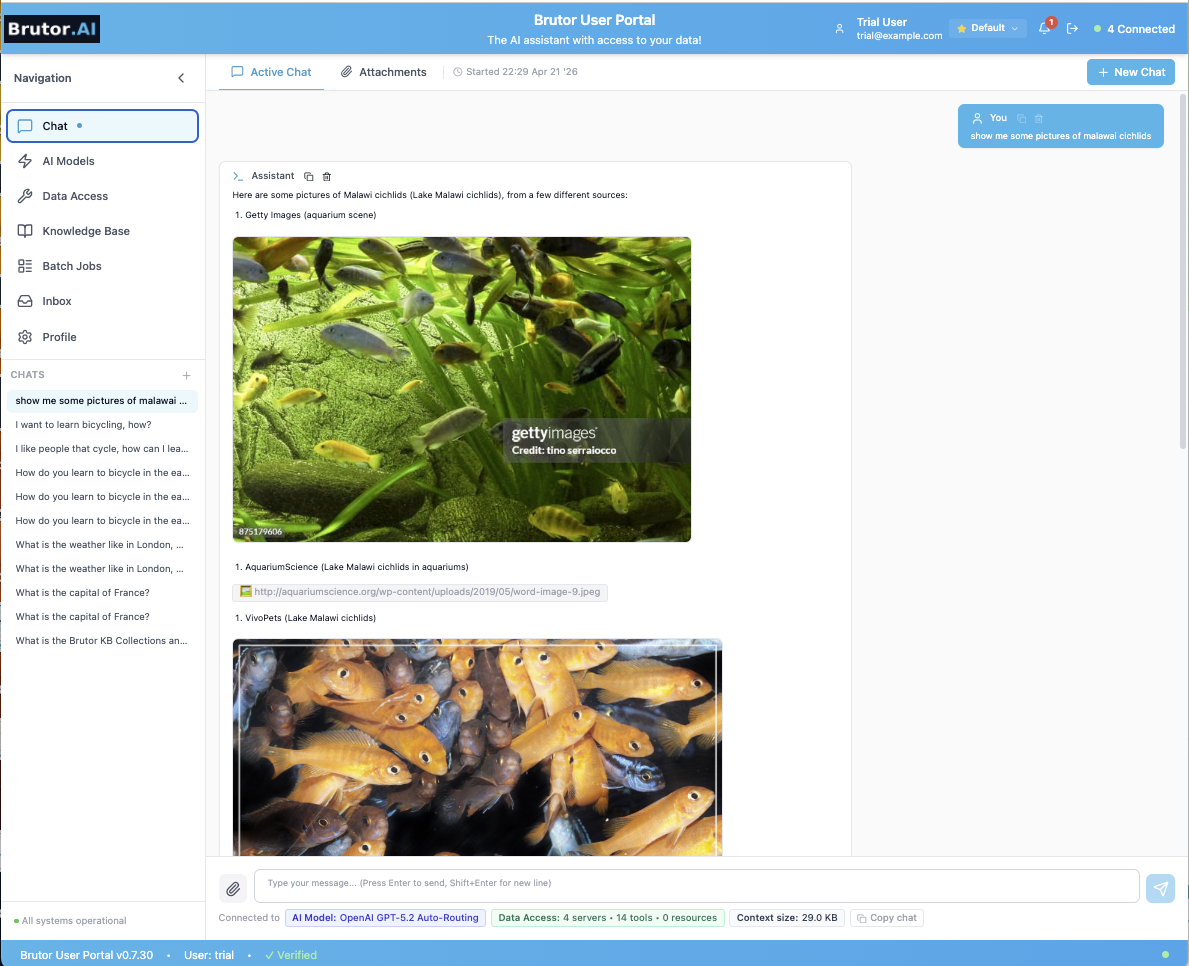
Every approved model, in one place
Your users switch between Claude, GPT, Mistral, Gemini, Ollama mid-conversation. No API keys, no shadow access to public AI.
Company knowledge bases, cited
Per-team KBs scoped to their group. Every answer cited back to the source. They drop in fresh PDFs, Drive, or Word docs and reason on the spot.
Your enterprise data via MCP
CRM, code repos, support tickets, internal docs — reached through MCP servers your IT has approved. Real business data, not web search.
Agent Skills built by your IT team
Ticket triage, contract summaries, meeting notes, custom multi-step flows. Invoked in plain language; executed end to end.
Batch processing for scale
Submit 1–50,000 requests asynchronously. Roughly 50% cheaper than real-time. Notifications when jobs complete.
Workspaces — one Portal, every project
Marketing, Customer Support, R&D — each in its own workspace, scoped to its own resource group, with its own models, tools, knowledge, and persistent chat history. Switch context with one click.
Every modality, in and out
Upload PDFs, Word, Excel, PowerPoint, screenshots, Google Drive — vision models analyze them directly. Generate images with DALL·E, voiceovers with OpenAI TTS, transcribe calls with Whisper, and short-form video with Luma Dream Machine. One chat, one set of credentials.
One-click OAuth + in-context approvals
Gateway runs the OAuth flow; tokens never reach the browser. Sensitive tool calls pause and ask, with an inbox for every pending approval.
Need to scale beyond chat? Your users generate personal API keys for scripts, agents, or custom apps — under the same governance rules as their interactive workspace. Notifications panel surfaces usage alerts, batch completions, approval results, and health failures.
Your people get an AI workspace. You keep full control.
IT manages user portals through Brutor AI Gateway — once they configure the portal for each user, they keep full control.
Resource Group isolation
Each team sees only the models, MCP servers, knowledge bases, and skills assigned to their resource group. Marketing never touches engineering’s tools; finance can’t query HR’s data sources. Isolation is structural — enforced at the Gateway.
Guardrails at the Gateway
ML-based PII detection and masking, secrets detection, prompt-injection blocking, content and banned-word filtering — enforced on every surface that runs through Brutor, on input and streaming output, across text, image, voice, video, and tool calls. Different profiles per team. Zero reliance on users making the right call.
Cost attribution by user and team
Real FinOps data, not best-guess. Per-user spend visible. Cost broken down by model, group, feature, modality (text, image, voice, video), workspace, and time. Export to your chargeback system. Budget caps enforce in real time.
Spend limits — and ways to spend less
Per-group caps stop surprise invoices at the source. Semantic cache, batch processing, and smart routing actively reduce what you DO spend — typically 50–70% on real workloads. The Portal is the workspace; the savings happen quietly underneath.
Three-state HITL approval
Every tool is enabled, approval-required, or disabled per resource group — a mandatory human gate exactly where you want one. Every decision logged with reason and timestamp.
Every interaction logged
Every prompt, response, tool call, skill invocation, and approval decision is proxy-logged with full request/response bodies — framework-tagged compliance evidence, ready for audit or the moment a regulator asks.
Tokens stay in the vault
When a user authenticates with an OAuth-protected MCP server, the Gateway runs the flow and hands back its own JWT. Real access tokens stay encrypted Gateway-side — they never reach the browser or the client.
Same governance for every client
Developers and agents connect through Gateway API keys — Goose, Claude Code, LangGraph, custom apps. Same resource-group membership, same guardrails, same audit trail. No “developer tier” that bypasses governance.

Get started with Brutor AI Portal.
The Portal ships as part of the Brutor AI Platform — alongside the AI Gateway and Admin UI — so you get the governed workspace, the control plane, and the admin console as one stack. Pick the deployment model that fits your requirements.