

Unauthorized use of AI is now a huge problem. Recent industry surveys find that 73% of organizations have detected unauthorized AI tool usage, with customer records, financial projections, contracts, and source code ending up in third-party systems with no audit trail and no access controls. On top of this, organizations are increasingly building and running autonomous AI agents, which might compound, rather than ease, the shadow AI problem.
Here are some more numbers:
- 20% of all security breaches now involve shadow AI (IBM, 2025)
- 86% of organizations have no visibility into how data flows to and from AI tools (Reco, 2025)
- 40% of enterprise apps will embed task-specific AI agents by the end of 2026, multiplying the shadow-AI surface (Gartner, 2025)
While these statistics are alarming, organizations sit at very different points on a spectrum. At one end is the undesirable reality where, at some organizations, employees use whatever public AI tool they want: no oversight, no audit trail, no control. At the other end sits the destination organizations should be heading toward: a workspace where access to AI is governed and its use is controlled and optimized.
This guide is about how to move along that spectrum, all the way to fully governed AI. It covers the approaches available, where each one falls short, and what a complete solution looks like at the far end.
Where the industry is heading
The shift happening right now isn’t just about giving employees access to AI. It’s about what that access needs to look like at enterprise scale.
Shadow AI costs are only one piece. The bigger prize is being able to scale AI projects with confidence. Organizations that solve governance first get there; those that don’t stay stuck in pilot purgatory while their employees quietly use unsanctioned alternatives.
There’s also the matter of regulation: AI governance is becoming mandatory. The EU AI Act’s high-risk obligations take effect August 2026, with fines of up to 7% of global revenue for non-compliance, a hard deadline for any organization with European operations or customers.
Many organizations already recognize this shift. Gartner’s Top Strategic Technology Trends for 2026 names AI Governance Platforms a top trend, expecting governance programs with dedicated headcount and specialized software to become the norm.
How most organizations are giving employees AI access today
There are broadly four approaches companies take to providing AI to their workforce. Each one solves part of the problem while creating new ones.
1. Public AI tools: ChatGPT, Gemini, Claude.ai
This is the default. Employees sign up for consumer AI tools and get to work. It’s fast, capable, and immediately useful for general-purpose tasks:
- Brainstorming, drafting, summarizing, coding assistance.
But here’s the problem: Public AI tools have no governed path to your company’s data. By default they don’t know your processes, your customers, or your internal systems. When an employee asks a question about last quarter’s pipeline, the AI doesn’t have the answer, so the employee copies the data in manually. Now sensitive business information is sitting in a third-party system with no audit trail, no access controls, and no way for IT to know it happened.
What you’re missing compared to a governed AI workspace:
| Capability | Public AI | Brutor AI-Governed |
|---|---|---|
| Connected to your company’s live data | ✗ | ✓ via MCP |
| Per-team knowledge bases with citations | ✗ | ✓ RAG-grounded |
| Organization’s processes built in | ✗ | ✓ via Agent Skills |
| Choice of model per task, across providers | ✗ Limited to one provider | ✓ Switchable mid-conversation |
| Approved for use with sensitive business data | ✗ Often unclear | ✓ Governed and audited |
| Full audit trail for compliance | ✗ | ✓ Every interaction logged |
| IT-managed access control | ✗ | ✓ RBAC, resource groups |
| Cost tracking per user and team | ✗ | ✓ Token-level attribution |
This isn’t about public AI being bad; it’s excellent at what it does. But it operates outside your organization’s data, policies, and oversight. For anything involving company information, it creates risk that scales with adoption.
2. Embedded AI assistants: Microsoft Copilot and similar
The next approach embeds AI directly into existing productivity suites. Microsoft Copilot, for example, sits inside Word, Excel, PowerPoint, Teams, and Outlook, with deep integration into M365 data.
Where it works well:
- Summarizing email threads, drafting documents, analyzing spreadsheet data, catching up on missed meetings.
For organizations committed to the Microsoft stack, it can be a genuine productivity boost.
Where it may fall short:
- Vendor lock-in is structural. These tools are fundamentally tied to one ecosystem: governed through that vendor’s admin center, priced on their terms, routed through their infrastructure. The deeper you go, the harder it becomes to change direction.
- Per-seat pricing rarely matches actual usage. Industry data on Copilot rollouts paints a sobering picture: organizations that license universally see 30–40% of seats unused within the first 90 days, and Gartner’s 2025 Microsoft 365 Copilot survey found that only 5% of completed Copilot pilots progressed to scaled deployment. The license bill arrives in full whether your people use it or not.
- Governance can be fragmented. Controls may be spread across multiple admin consoles, potentially several different dashboards for one AI deployment.
- It can’t easily reach beyond its own ecosystem. Your team’s data doesn’t live exclusively in one suite. Deals might live in HubSpot. Code in GitHub. Documentation in Confluence. Tickets in Jira. An embedded assistant typically sees what’s inside its own ecosystem; everything else remains invisible.
3. Industry-specific AI platforms: the custom build approach
Some industries have developed dedicated AI platforms. The legal sector is the most visible example, with specialized platforms serving hundreds of law firms: purpose-built models trained on case law, document analysis, and deep integrations with legal document management systems.
Large consulting firms take a different approach: training their staff on multiple enterprise AI platforms, often one per team.
Where these work:
- Industry-specific tasks (e.g. contract review with legal-specific models that often outperform general-purpose AI) at enterprise-wide scale.
Where they may fall short:
- They tend to be single-purpose.
- Per-user pricing for specialized platforms may make sense for high-billing professionals, but doesn’t necessarily scale to every department.
- When different teams use separate AI platforms, the compliance team has to check multiple systems for audit trails; there’s no single view of who’s using what, what it costs, or what data is flowing where.
4. AI Gateway platforms without a user interface
These platforms give organizations central controls over their AI services (LLM routing, cost tracking, API key management, observability, and runtime policy enforcement for AI agents) alongside the tooling developers and security teams need to build and oversee governed AI applications.
Where they fall short:
- No user-facing interface for the rest of the organization: marketing, sales, HR, finance, and operations teams cannot use them directly.
- The investment value is concentrated on developers and security teams; line-of-business employees still have to find their own AI access, which often means falling back to public tools.
Each approach solves part of the problem but leaves gaps. In practice, many organizations end up combining several of them, and the result is more capability but also more complexity: multiple admin consoles, multiple billing models, multiple audit trails, and no single view of who’s using what.
5. User Portals: a better way to give users access to AI
A growing number of enterprise AI workspace platforms have emerged in 2026 that combine a chat UI with multi-model access, governance, and MCP integrations (MCP, the Model Context Protocol, being the open standard for connecting AI to enterprise systems). The category exists. What’s missing in most of them is the deployment flexibility, architectural openness, and modularity that regulated industries, partner channels, and hybrid-cloud organizations actually need.
What sets Brutor Portal apart
The Brutor AI User Portal is different: it is a comprehensive and customizable AI workspace that allows your employees to make the most of AI, connected to your data, governed by design.
Employee benefits
Users get a real AI workspace, not a chatbot with restrictions. They log in with company credentials: no API keys, no setup, no friction. From there, they have:
- Every approved AI model, switchable mid-conversation
- Multiple workspaces (Marketing, Customer Support, R&D), each scoped to its own resource group, with its own models, tools, knowledge, and chat history
- Every modality, in and out: text, image, voice, and video. Same chat, same guardrails, same audit, same cost tracking as text
- Per-team knowledge bases with cited answers
- Enterprise data via MCP
- Agent Skills built by IT
- Persistent conversations and history, vision and document upload
- One-click connections to GitHub, HubSpot, Slack, and other OAuth-protected services
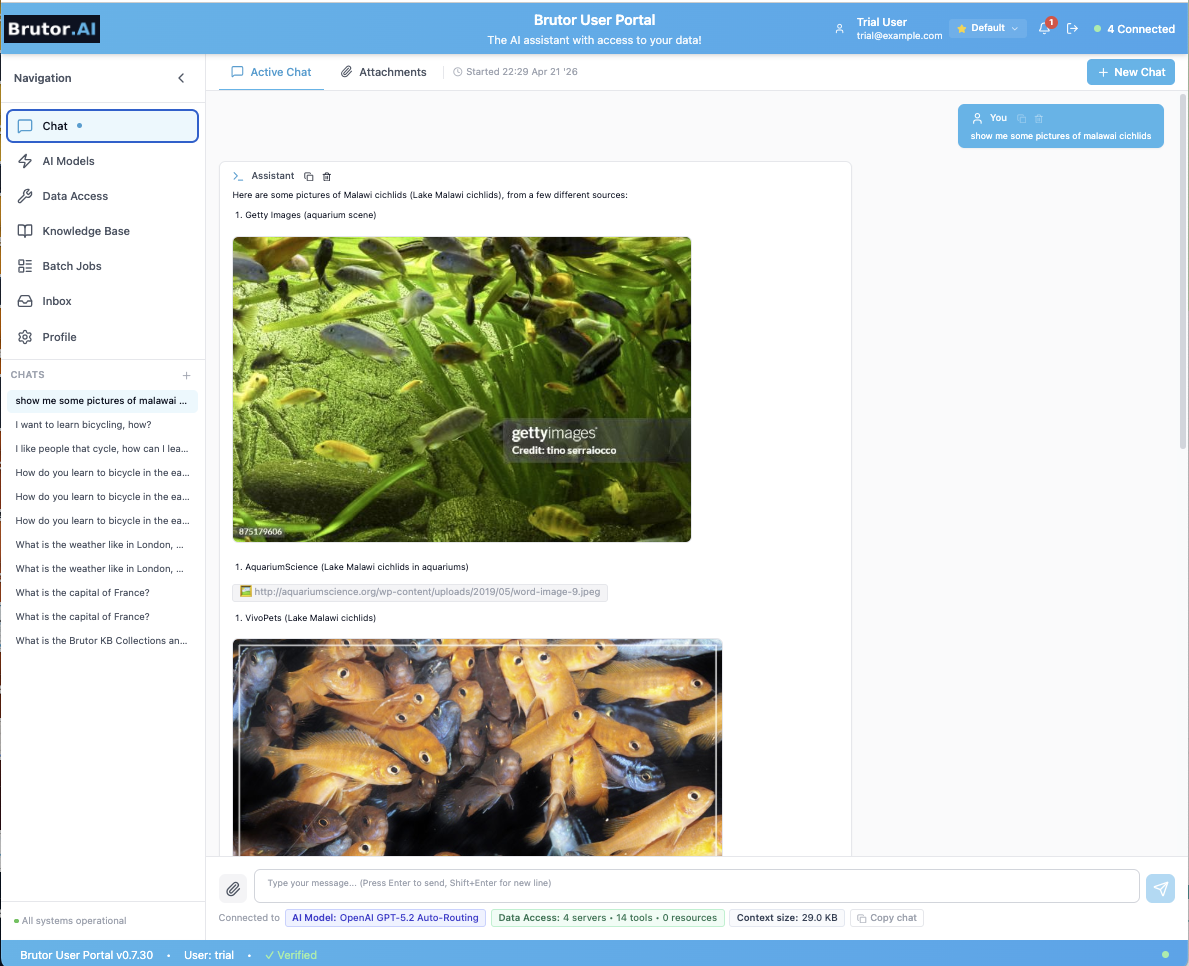
What makes this different from other workspace platforms: Brutor Portal brings all of these capabilities together in one place, customizable to your organization’s needs and architecturally open: multi-model from day one, MCP-native, and deployable on your terms.
See the full list of Portal capabilities for users
IT stays in full control
The Brutor AI User Portal is part of the Brutor AI Control Plane, a modular stack of Portal, AI Gateway, and Admin Console that work together (or independently) to give IT central control over the AI that flows through them.
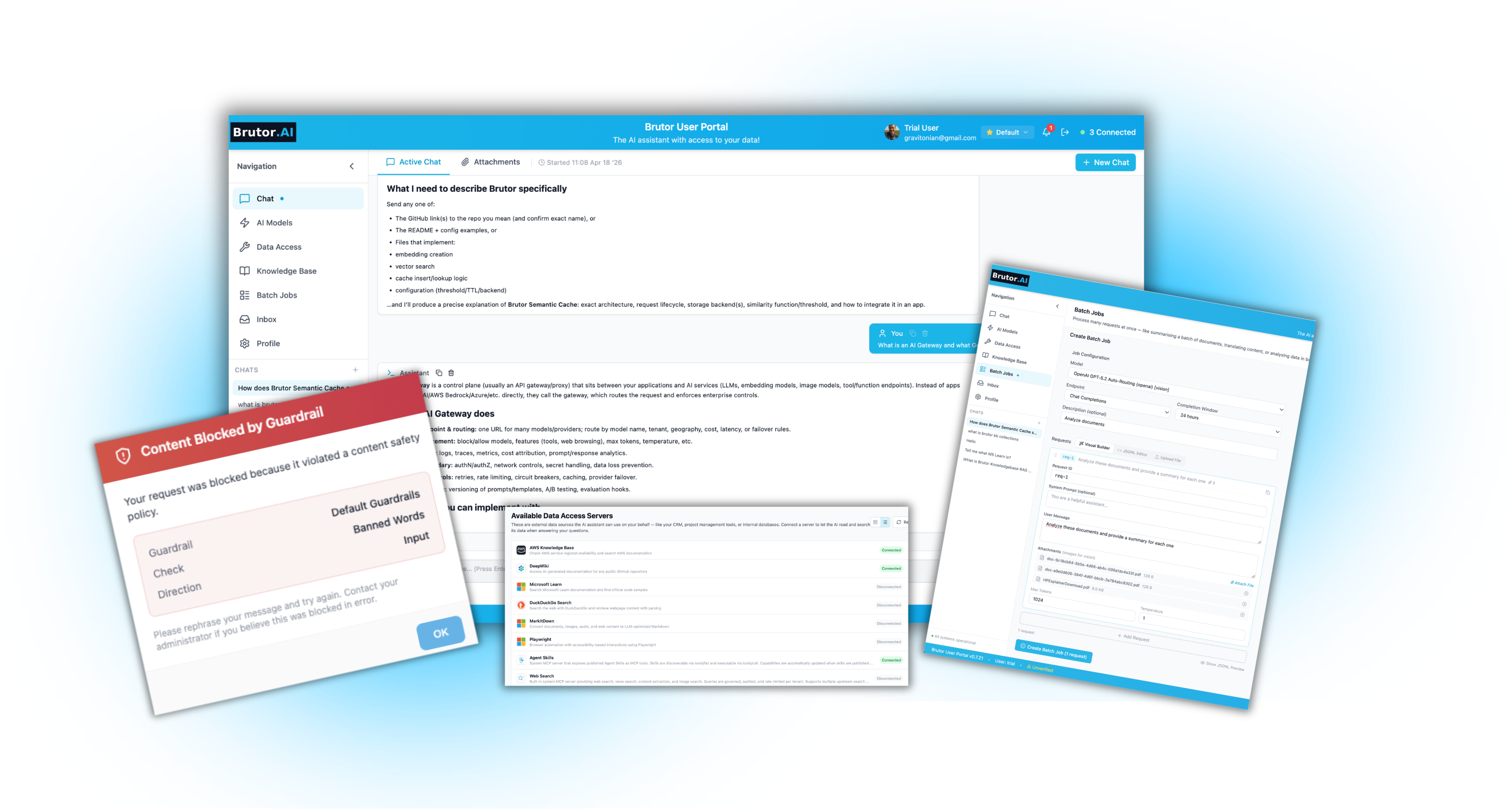
While users get the workspace, IT keeps full control:
- Resource-group isolation per team
- Guardrails enforced at the Gateway before any prompt reaches a model (PII detection and masking, prompt-injection blocking, content filtering), same checks for text, image, voice, and video
- Three-state human-in-the-loop approval (enabled / approval-required / disabled)
- Complete audit trails
- Budget controls with per-user and per-team cost attribution
- Encrypted token vault
- Policy-as-Code via YAML and Git
- The same governance applied to every developer agent that connects through the Gateway
See the full list of governance capabilities
How it works in practice
Take a typical scenario every organization faces: a marketing team needs an AI workspace that knows the company’s brand voice, can pull live data from the CRM, and follows the company’s compliance rules.
Setting up such access for Brutor Portal is easy:
Brutor AI User Portal. IT configures once; every marketer connects via SSO, no tokens, no config files, no IT tickets.
IT Admin: One-time setup
- 1. IT deploys Brutor AI Gateway and User Portal. Docker or Kubernetes deployment; connects to the company’s SSO (Entra ID, Okta, etc.)
- 2. IT registers HubSpot MCP and sets access policy. Assigns HubSpot connector to the Marketing group, read-only on contacts and deals
Marketer experience from here
- 3. Marketer opens Brutor User Portal and logs in with SSO. Same company login they use every day: no new account, no token, no config file
- 4. HubSpot tools appear automatically in the portal. No browsing a catalog; only tools the Marketing group is permitted to use are shown
- 5. Marketer chats with AI; HubSpot tools execute via the Gateway. Gateway enforces policy, rotates tokens, and logs every tool call invisibly in the background
- 6. Security and compliance get full visibility. Audit log, per-role access control, token rotation: all managed centrally, none visible to the user
One team configured in minutes, and the same approach scales to every department.
The Brutor AI User Portal is an ideal AI workspace for all your teams. It allows them to be productive and get the most out of AI while not exposing your company to the dangers of shadow AI.
Sources: Deloitte, State of AI in the Enterprise 2026 · Stanford HAI, AI Index Report 2026 · IBM Security, Cost of a Data Breach Report 2025 · Gartner, Top Strategic Technology Trends for 2026 (Oct 2025) · Gartner, 40% of Enterprise Apps Will Feature Task-Specific AI Agents by 2026 (Aug 2025) · Gartner, Microsoft 365 and Copilot Survey 2025 · McKinsey, State of AI Trust in 2026: Shifting to the Agentic Era · EU AI Act, Regulation (EU) 2024/1689